Choosing the right laptop for a child can feel confusing. There are hundreds of models, endless technical terms and big price differences. Yet for many families, a laptop is no longer a luxury. It is now a key part of school life. From online homework to video lessons and exam revision, students rely on their devices every day.
That is why this guide focuses on the Best Laptops for Students across Stage 1 to Stage 4 in the UK. These stages cover ages five to sixteen, which means learning needs change a lot over time. A laptop that works well for a seven year old may struggle to support a GCSE student. By the end of this article, you will know what really matters at each stage and how to choose a laptop that supports your child’s success.
Why school stage matters when buying a laptop?
Not all students use a laptop in the same way. A Stage 1 pupil might use it for reading apps and simple games. A Stage 4 student may need it for long essays, research and exam revision. When people buy the wrong type of laptop, it often leads to slow performance, frustration and wasted money.
Understanding the learning level of your child helps you avoid this. Younger students need simple and safe devices. Older students need speed, storage and comfort for long study sessions. The best laptops for students are those that match what the child actually does in school, not what looks impressive on the shelf.
Stage 1 students (ages 5 to 7)
Stage 1 learners are just starting their school journey. They are learning how to read, write and count. At this age, a laptop should feel fun and easy to use. It should not feel like a complicated piece of office equipment.
Most Stage 1 students use a laptop for phonics apps, simple maths games and watching educational videos. A touchscreen can be very helpful. Children find it natural to tap and swipe. A lightweight design also matters. Small hands should be able to carry it without struggle.
Battery life is important too. A laptop that lasts all day avoids constant charging. The build should be strong. Young children do not always treat devices gently, so durability helps prevent damage.
For this stage, speed is not a top priority. What matters more is ease of use and safety. A simple, reliable laptop helps children build confidence with technology while staying focused on learning. Below is the Laptop for Stage 1 Students.
Lenovo IdeaPad 1 14 inch Laptop, Intel Celeron, 4GB RAM, 64GB, Windows 11 Home in S mode
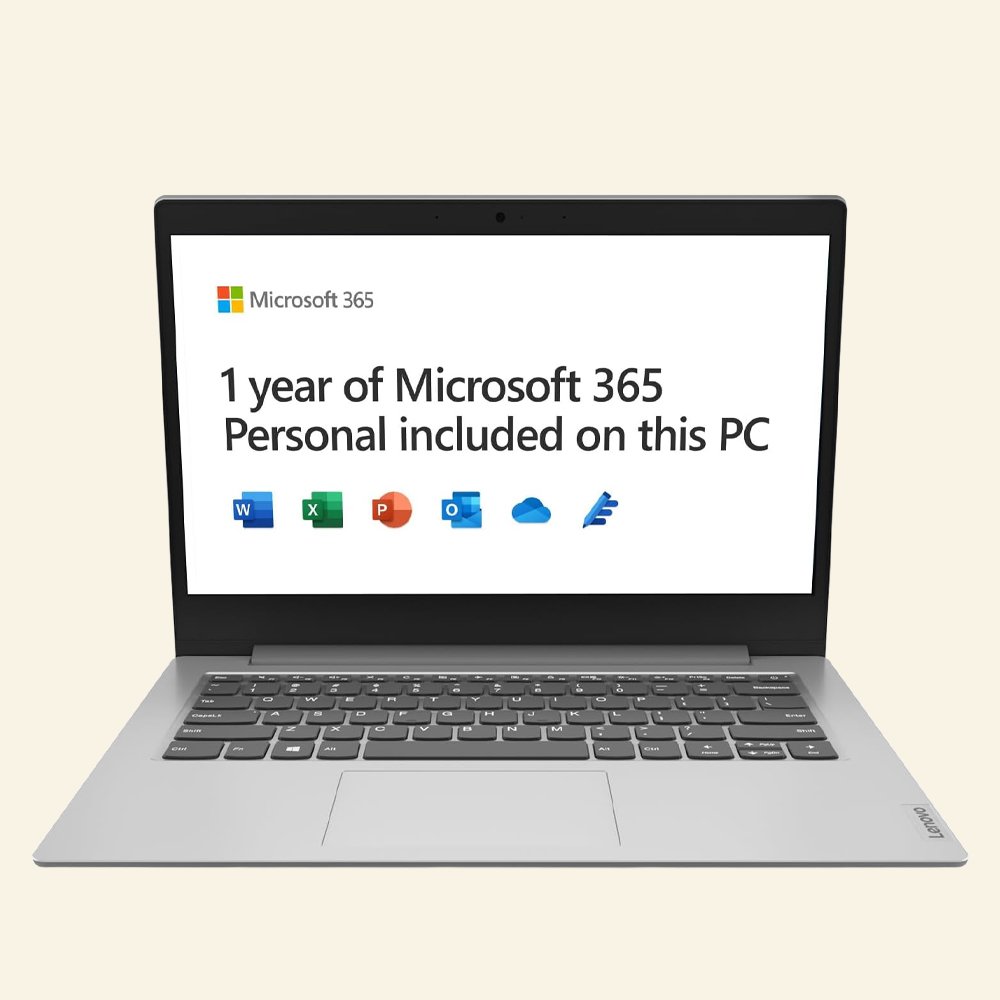
The Above Lenovo IdeaPad 1 will be fine for the stage 1 students because in this stage student is trying to learn reading, writing, learning from the basics. This laptop come with Intel Celeron processor, 4gb RAM, 64gb storage along with windows 11. Price of this laptop is also reasonable and affordable.
Stage 2 students (ages 7 to 11)
By Stage 2, children become more independent. They start using laptops for homework, online research and school platforms. They may also type short stories or create small presentations.
At this level, a good keyboard becomes more important. Children are learning to type, so the keys should feel comfortable. A clear screen also helps when reading text or watching lessons. A webcam and microphone are now useful as well, since many schools use online classes or video calls.
Storage begins to matter too. Students save documents, pictures and projects. A laptop with enough space keeps things running smoothly.
The best laptops for students in Stage 2 should feel fast and simple. They should open apps quickly and run without freezing. When a device works well, children stay focused and get their work done with less stress.
Stage 3 students (ages 11 to 14)
Stage 3 is a big step. Students move into secondary school. The workload increases and subjects become more demanding. They may use online textbooks, learning platforms and even basic coding tools.
At this stage, a laptop needs more power. It should handle multiple apps at once. A faster processor helps avoid slowdowns. A good screen also becomes important, especially for reading long texts or watching detailed videos.
Students at this age also start caring about how their laptop looks and feels. A slim and modern design can make them more confident about using it at school. A comfortable keyboard helps when writing longer pieces of work.
This is where a poor laptop can really hold a student back. If it is slow or unreliable, it can make homework take longer than it should. A solid device helps them keep up with their growing academic demands.
Stage 4 students (ages 14 to 16)
Stage 4 is the GCSE stage. This is one of the most important periods in a student’s school life. They write long essays, research topics and revise for exams. Many students also use online tools for past papers and video lessons.
At this level, a laptop must be reliable and fast. It should start quickly and run smoothly even with many tabs open. An SSD is very helpful here, as it makes everything feel quicker. A strong processor also supports heavy workloads.
The keyboard and screen matter more than ever. Students spend hours typing and reading. A comfortable layout reduces strain. A clear display makes revision easier.
For Stage 4, a laptop is not just a learning tool. It becomes a study partner. The right device can make revision feel easier and more organised.
Key features to look for in the best laptops for students
No matter the stage, some features always matter. Battery life should be long enough to last a full school day. Weight should be low so the laptop is easy to carry. A solid build helps it survive daily use.
Storage is another key factor. An SSD is better than a traditional hard drive. It is faster and more reliable. A good webcam and microphone are now essential for online learning.
The operating system also plays a role. Some are simpler and safer for younger students. Others offer more flexibility for older learners. The best choice depends on how the laptop will be used.
By focusing on these features, you can narrow down your options and avoid paying for things your child does not need.
Chromebook vs Windows vs Mac for school students
Chromebooks are popular in schools. They are simple, fast and work well with online tools. They suit Stage 1 and Stage 2 students very well. They also offer good value for money.
Windows laptops offer more power and flexibility. They are a strong choice for Stage 3 and Stage 4 students. They support a wide range of software and handle heavier workloads.
Mac laptops are powerful and well built. They are great for older students but often cost more. For many families, Windows offers a better balance between price and performance.
Choosing the right system helps ensure the laptop fits the student’s needs.
Final thoughts
Finding the best laptops for students is not about buying the most expensive model. It is about choosing the right tool for the right stage of learning. From Stage 1 to Stage 4, students grow quickly and their needs change.
By matching the laptop to their school level, you give them a device that supports their education rather than slowing it down. A well chosen laptop can boost confidence, save time and make learning more enjoyable. That is what every student deserves.
Disclaimer:
The prices of the student laptops listed above may change at any time due to various reasons. As we are using the Amazon Affiliate Programme, we do not sell or fulfill the products ourselves. If a purchase is made through our links, we may earn a commission.